
FortiOS Licensing Explained: A Guide to Security Bundles and License Management
.
In today's evolving cybersecurity landscape, network security appliances are only as effective as the intelligence and updates they receive. Fortinet FortiGate firewalls represent a sophisticated blend of hardware capability and subscription-driven intelligence, creating a powerful yet complex licensing ecosystem. Understanding FortiOS licensing is essential not only for maximizing your security investment but also for maintaining continuous protection against emerging threats like ransomware, zero-day exploits, and AI-based attacks. This guide demystifies the licensing model, from the essential security services in FortiGuard bundles to the critical support provided by FortiCare, empowering organizations to make informed decisions that balance robust security with operational efficiency.
Whether you're managing a small business network or a large enterprise infrastructure, the choices you make regarding Fortinet licenses directly impact your security posture, compliance status, and ability to respond to incidents.
The Three Pillars of Fortinet Licensing
Fortinet's licensing framework is built on three fundamental components that work together to provide comprehensive protection.
1. FortiGuard Security Services: The Intelligence Core
FortiGuard services are the subscription-based security intelligence features that transform a FortiGate from a basic firewall into an advanced threat prevention system. According to official documentation, these services are what "keep the FortiGate up to date, enabling protection from malware, vulnerabilities, and exploits as they are discovered." The AI-powered security services offer protection across multiple layers:
- Network & File Security: Core services including Intrusion Prevention System (IPS) and Antivirus (AV), which require "a valid license for FortiGuard AV + IPS Service... to receive AV and IPS engine and signature updates."
- Web & DNS Security: URL filtering, DNS filtering, video filtering, and protection against malicious websites and certificates.
- Advanced Threat Prevention: This includes critical services like the FortiGate Cloud Sandbox, described as "a crucial component in providing behavior-based virus detection" for unknown and zero-day threats.
These services are powered by FortiGuard Labs, which provides real-time threat intelligence updates. As noted in community discussions, without an active FortiGuard subscription, "all advanced security services—IPS, Antivirus, Sandboxing—stop working," though basic firewall functionality remains.
2. FortiCare Support Services: Your Operational Lifeline
FortiCare is the support and maintenance contract that ensures your FortiGate remains operational and up-to-date. It encompasses several critical functions:
- Technical Support: Access to Fortinet's support teams. Coverage varies by tier, ranging from 8x5 business hours (Essentials) to 24x7x365 availability (Premium and Elite).
- Firmware Updates: Essential FortiOS upgrades and security patches. An active FortiCare contract is required to download new firmware versions from Fortinet's support portal.
- Hardware Replacement: Rapid replacement services (RMA) for faulty hardware, with service levels from Next Business Day to 4-hour delivery depending on the contract tier.
The licensing matrix clarifies that FortiCare Premium (24x7 support) is included by default in the major FortiGuard security bundles (ATP, UTP, and Enterprise Protection).
3. FortiTrust & Specialized Licenses
For modern, distributed workforces, FortiTrust provides identity-based licensing for Zero Trust Network Access (ZTNA), aligning with SASE (Secure Access Service Edge) architectures. Additionally, specialized use cases require specific licenses:
- FortiOS-Carrier License: A specialized upgrade for mobile carriers and service providers. This license enables critical functions like GPRS Tunneling Protocol (GTP) inspection and Packet Forwarding Control Protocol (PFCP) firewall capabilities to secure 5G/4G/IoT and mobile core infrastructures. As the data sheet states, it provides "enhanced security to protect the mobile core network infrastructure from malformed GTP packets, denial of service attacks, and out-of-state GTP messages."
FortiGuard Security Bundles: ATP, UTP, and Enterprise Protection
To simplify purchasing, Fortinet packages FortiGuard services into tiered bundles that offer progressively more comprehensive protection.
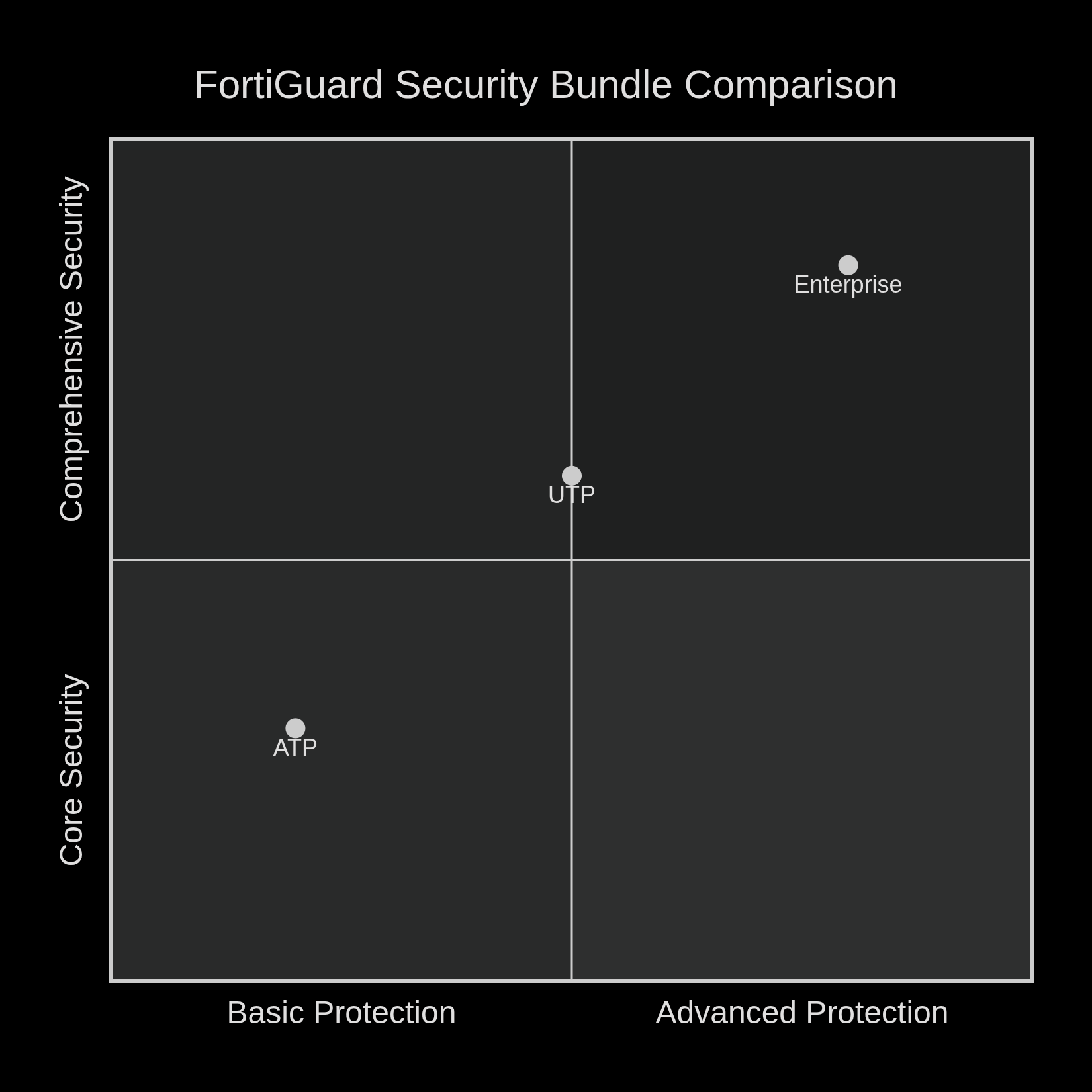
Advanced Threat Protection (ATP) Bundle
The ATP bundle forms the security foundation, ideal for small to mid-sized businesses. It includes:
- FortiCare Premium (24x7 support)
- Intrusion Prevention (IPS)
- Antivirus and Application Control
- FortiGate Cloud Sandbox service
Unified Threat Protection (UTP) Bundle
Building on ATP, the UTP bundle adds crucial web and content security layers, making it suitable for most mid-sized enterprises.
- Includes all ATP features
- Adds comprehensive Web & DNS Security (URL Filtering, DNS Filtering, Video Filtering)
- Includes Anti-Spam and additional threat intelligence services
Enterprise Protection Bundle
The most comprehensive offering, designed for large enterprises with complex security needs.
- Includes all UTP features
- Adds Data & SaaS Security (Data Loss Prevention - DLP)
- Includes Attack Surface Security (IoT/OT device detection and vulnerability correlation)
- Provides Security Rating service for continuous posture assessment
- Enables Zero Trust Network Access (ZTNA) capabilities
Comparison of FortiGuard Security Bundles (ATP vs. UTP vs. Enterprise)
What Happens When Licenses Expire?
Understanding the consequences of license expiration is crucial for maintaining network security and compliance.
FortiGuard Service Expiration
If your FortiGuard subscription lapses:
- The FortiGate continues to function as a basic stateful firewall, passing traffic and maintaining existing firewall rules.
- All dynamic security services cease to receive updates. This includes IPS signatures, antivirus definitions, web filtering categories, and sandboxing services.
- The device becomes vulnerable to new threats, exploits, and malware that emerge after the license expiration date.
FortiCare Support Expiration
When FortiCare expires:
- You lose access to technical support from Fortinet.
- Firmware updates become unavailable, preventing you from applying critical security patches or accessing new features.
- Hardware replacement (RMA) services are no longer available, potentially leading to extended downtime if hardware fails.
As noted in community discussions, "I had customers who were months or years out of support and the firewall worked just fine... but firewall wise 100% functional." However, this practice carries significant security and operational risks.
Can You Use a FortiGate Without a License?
The short answer is yes, but with important limitations. Core networking and firewall functions are built into the FortiOS firmware and do not require a subscription.
Always Available (No License Required)
- Stateful inspection firewall with policy-based traffic control
- Network Address Translation (NAT)
- Static and dynamic routing (OSPF, BGP)
- VLANs and Virtual Domains (VDOMs)
- VPN services (unlimited IPsec and SSL-VPN connections)
- Basic Quality of Service (QoS)
Requires Active Subscription
- All FortiGuard security services (IPS, AV, Web Filtering, etc.)
- Firmware updates and technical support (FortiCare)
- Specialized features like FortiOS-Carrier for mobile networks
This distinction is particularly relevant for lab environments, legacy equipment, or secondary-market purchases where organizations might operate fortigate without current subscriptions.
License Management Best Practices
1. Centralized Management
Register all devices in your FortiCloud portal to maintain visibility of license status, expiration dates, and asset inventory across your organization.
2. Proactive Renewal Strategy
Begin the renewal process at least 90 days before expiration to avoid coverage gaps. Consider multi-year licenses for potential cost savings and reduced administrative overhead.
3. License Co-Termination
For organizations with multiple FortiGate devices, co-term your licenses to align expiration dates. This simplifies renewal management, budgeting, and ensures consistent security coverage across your infrastructure.
4. Specialized Deployment Considerations
- Virtual Appliances (VM): Can be evaluated with time-limited licenses, but production deployments require purchased subscriptions.
- Service Provider/Mobile Networks: Require the FortiOS-Carrier upgrade license for GTP and PFCP inspection capabilities in 5G/4G environments.
- Secondary Market Purchases: When buying used equipment, verify that you can transfer the serial number to your support account and budget for potential subscription renewal costs.
Frequently Asked Questions
Q: What's the main difference between FortiGuard ATP and UTP bundles? A: The primary difference is that UTP includes comprehensive Web & DNS Security (URL Filtering, DNS Filtering, Video Filtering) which ATP lacks. UTP is generally recommended for organizations needing complete web threat protection.
Q: Can I purchase FortiGuard services individually? A: Yes, Fortinet offers an "à la carte" option for individual services like IPS, Web Filtering, or Industrial Security. However, bundles typically provide better value and integrated protection.
Q: How do I check my license status and expiration dates? A: License information is available through the FortiGate web interface under System → FortiGuard, or centrally for all devices through the FortiCloud portal. The license details include contract number, serial number, category, status, and start/end dates.
Q: What should I do if I purchase a used FortiGate? A: First, check the device's serial number in the FortiCloud portal or with Fortinet support to determine subscription status. You'll need to transfer the device to your account and likely renew both FortiCare (for firmware updates) and FortiGuard (for security services) subscriptions.
Q: Is the FortiOS-Carrier license included in standard bundles? A: No, the FortiOS-Carrier upgrade is a specialized license for mobile network operators and service providers. It must be purchased separately to enable GTP and PFCP inspection capabilities for 4G/5G network security.
Conclusion: Strategic Licensing for Optimal Security
FortiOS licensing represents a strategic investment in continuous cybersecurity rather than merely a compliance requirement. By understanding the distinct roles of FortiGuard security services, FortiCare support, and specialized licenses like FortiOS-Carrier, organizations can architect defenses that match their specific threat landscape and operational needs. The tiered bundle approach—from ATP to UTP to Enterprise Protection—provides a clear pathway for security maturity, allowing organizations to start with essential protections and expand as their needs evolve.
In an era where cyber threats constantly advance, maintaining active subscriptions ensures your FortiGate devices receive the vital intelligence updates needed to combat emerging risks. Regular review of your licensing posture, aligned with proactive renewal strategies, transforms licensing from an administrative task into a cornerstone of resilient network security architecture.